Every skill and plugin you
have installed, in one place.
Off for the projects that don't need them.
A dashboard that runs on your own computer. No sign-up, no account.
macOS only, for now
Then open Agent HUD from Launchpad. The dashboard opens in your browser at 127.0.0.1:41717.
A coding agent reads every installed skill's name and description at the start of a session.
The ones you never use, too.
You are building an app, and 12 writing skills ride along with it.
60 skills · 18,938 characters · 5,000–9,000 tokens every session
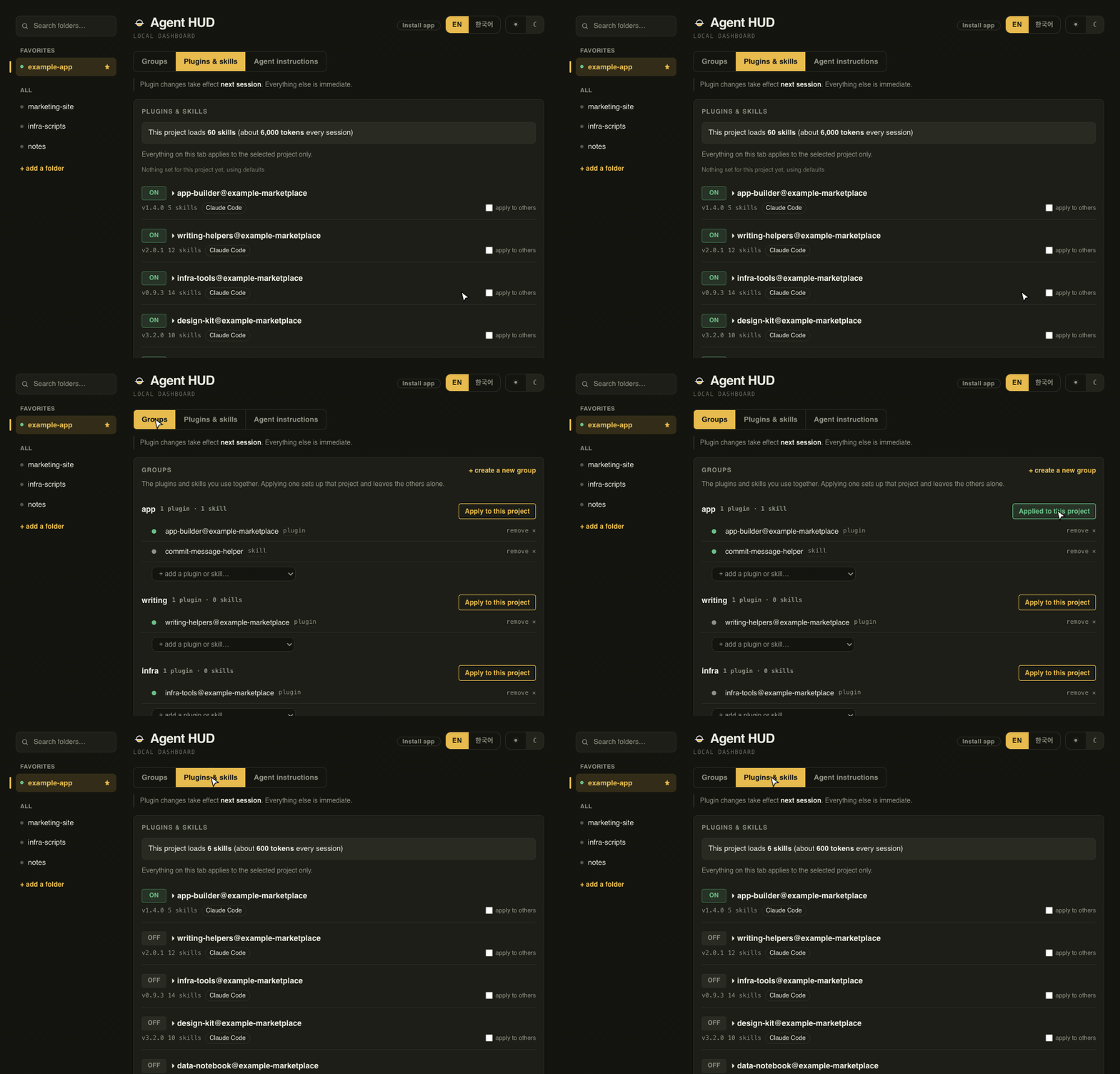
You use 6. You pay for 60.
Every session.
Example numbers, counted on one machine and going by the Agent Skills standard. Descriptions vary in length, so 60 skills land somewhere between 5,000 and 9,000 tokens. The dashboard shows how many skills your own project loads.
So we built a way to switch off the skills and plugins a project never uses.
A plugin bundles skills, commands and hooks you install in one go. A group is the ones you reach for together, picked out of those. Apply one and this project gets exactly those; everything else is switched off in Claude Code. It writes inside the project folder you picked and never touches your global settings. Plugin changes take effect the next time you start a session.
A skill you wrote for one agent can work in the others too.
It is the same skill file. Each agent just looks in a different folder, so a skill you wrote for Claude Code is invisible to Codex and Gemini CLI. One checkbox lets the others read that same file. Nothing is copied, so you still edit it in one place.
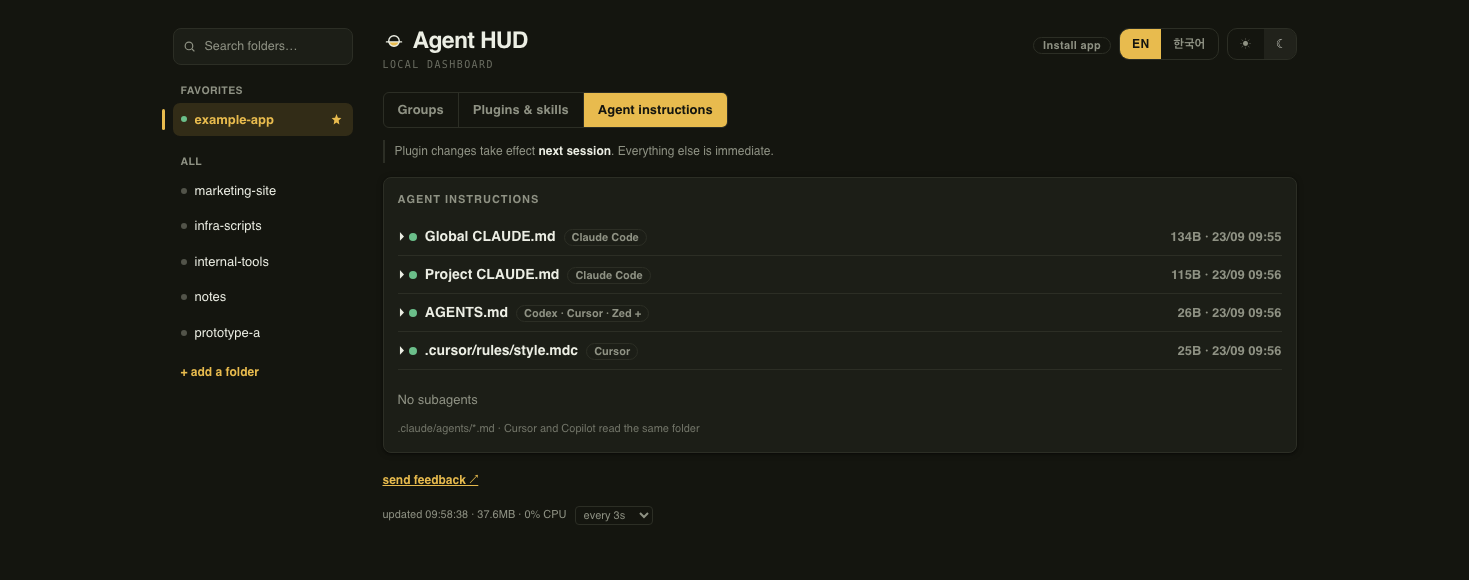
It also finds the instruction files you scattered around.
30 kinds of CLAUDE.md, AGENTS.md, .cursor/rules/ and the rest, with size and modified time. The timestamps show when you updated CLAUDE.md but left AGENTS.md on last month’s wording.
Questions that come up.
Why macOS only?
The installer registers a launchd service, and that part is macOS-only. server.py has no macOS-only code, so on Linux you can point a systemd --user unit at it instead. Windows is not supported yet (#1).
What does it change on my computer?
Which plugins are on or off, and links pointing at your skill folders, inside the project you applied a group to. Instruction files are only ever listed — it never edits them.
How do I undo it, or remove it?
Unassign the group in the dashboard and the links to its skills are removed. The plugin on/off values stay in that project’s .claude/settings.local.json, so drop enabledPlugins there if you want them gone. To remove the tool, run brew services stop agent-hud and brew uninstall agent-hud if you used Homebrew, or launchctl bootout gui/$(id -u)/com.agent-hud and delete ~/Library/LaunchAgents/com.agent-hud.plist if you used the install script. Groups and the project list are in ~/.claude/tools/agent-hud/; delete it too if you don’t need them.
Do my other agents need setting up?
No. Add a project with + add a folder in the dashboard and it shows up the same whichever agent you use. Switching plugins and skills on and off applies to Claude Code only; the other agents don’t read that setting.
The whole thing is one Python file that uses nothing but the standard library. You can read it yourself, and it runs only on your computer. Nothing is uploaded and there is no account to make. On its own it makes one request: a GitHub Releases check once a day, to see whether a newer version exists. If you installed with Homebrew and click Update now, Homebrew downloads the new version.